
Set it up once. It keeps running in the cloud.
- Switch off your computer
- Trade from any device
- Check your copier from any browser
- No VPS to rent or maintain
Cloud Trade Copier
Tired of placing the same entry, stop loss, take profit and close across account after account? DaneTrades copies your trades across MT4, MT5, TradeLocker, DXtrade, MatchTrader and cTrader, and can follow Telegram as a signal source.
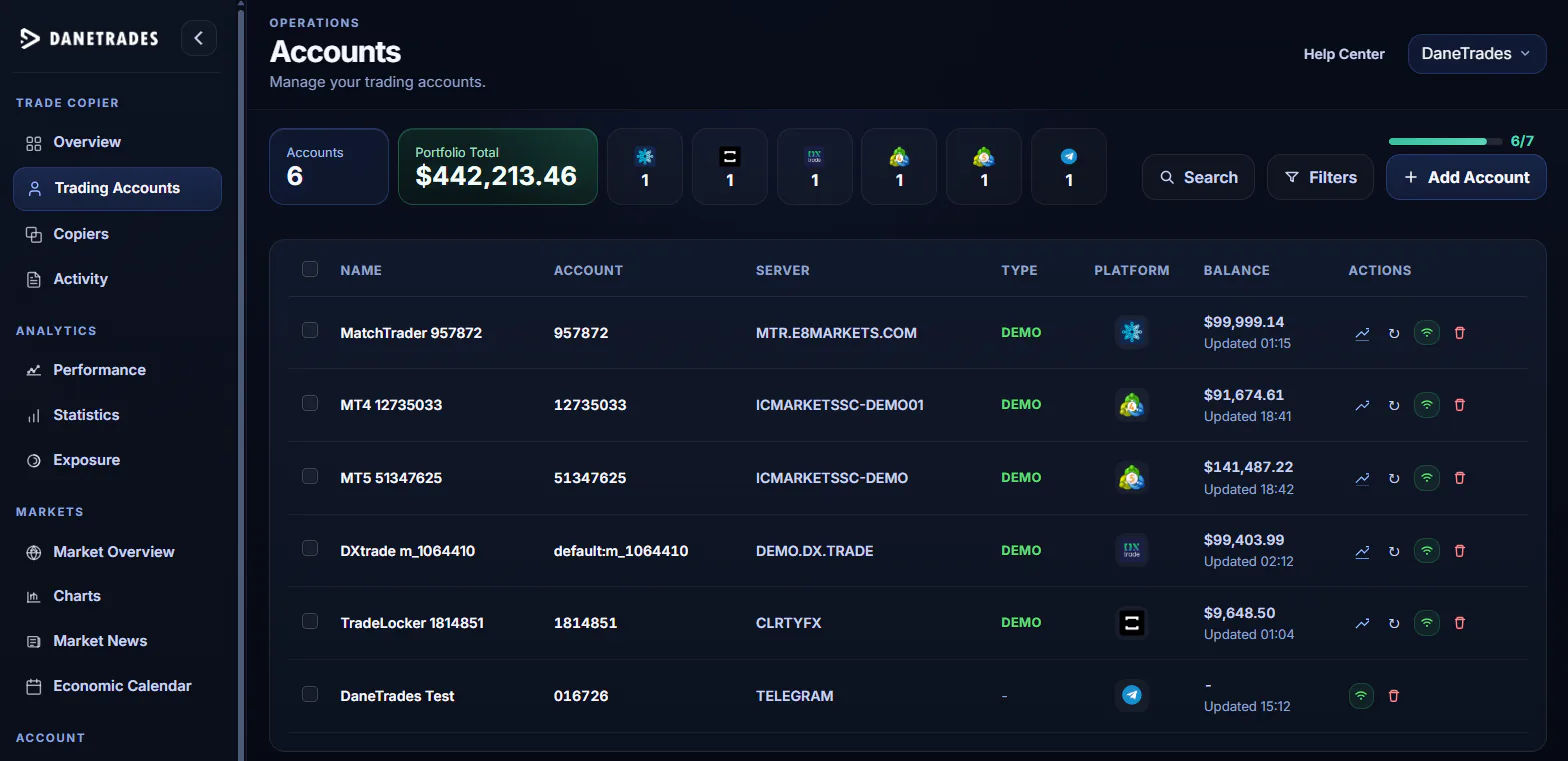
Supported Cloud Platforms







Trading Multiple Accounts
A single trade might need to be opened, sized, protected and closed across several accounts, while the market keeps moving.
How DaneTrades Works
No desktop software to leave open. No Windows VPS to configure or babysit.
Connect your supported MT4, MT5, TradeLocker, DXtrade, MatchTrader or cTrader accounts, or add Telegram as a signal source.
Set the position size, symbol mapping, filters and protection settings for each copier relationship.
Place the trade on your master account. DaneTrades sends the corresponding action to the followers you selected.
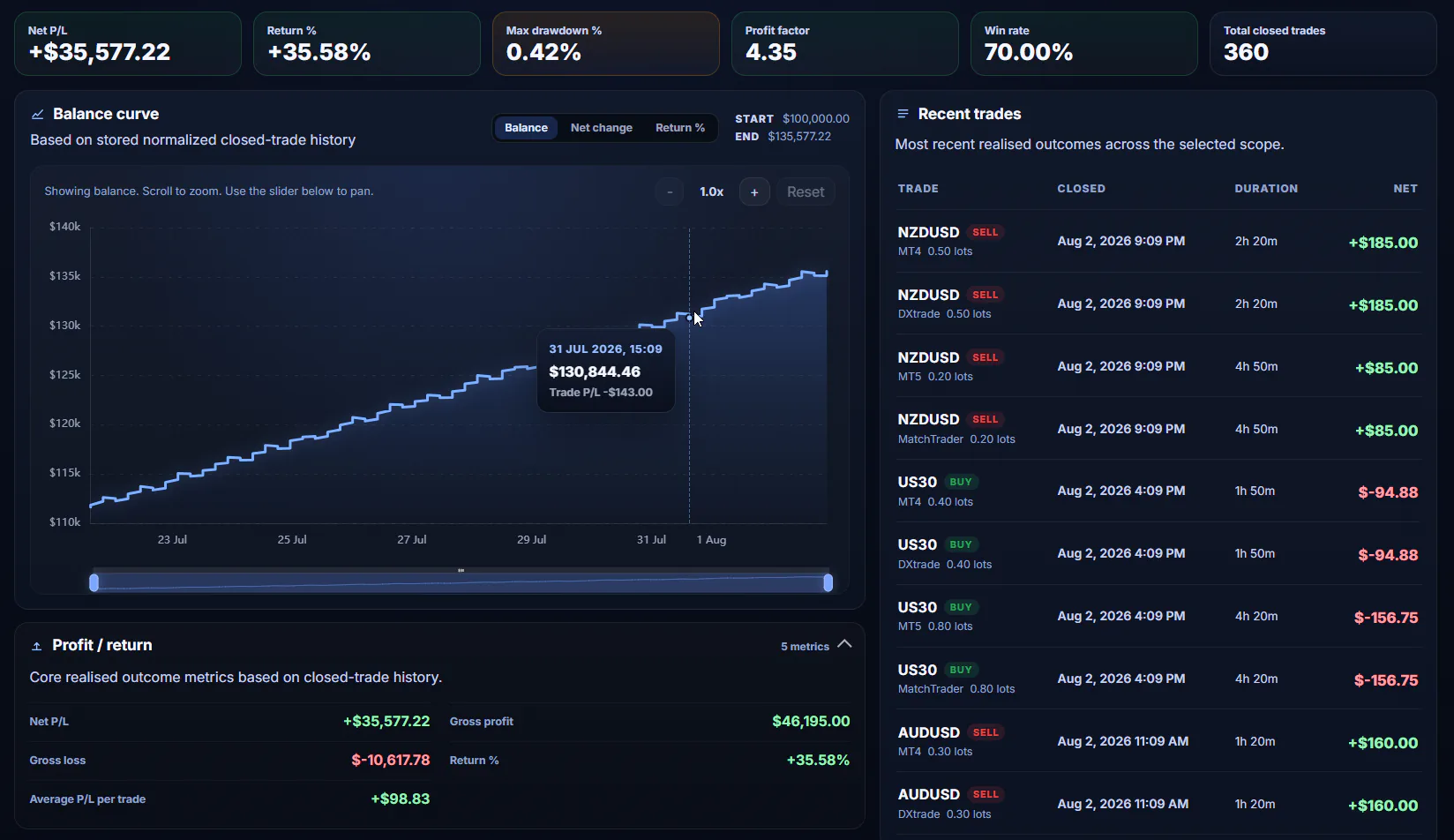
Performance Analytics
See all your connected accounts in one view. Compare results, monitor drawdown and understand where your current trading exposure sits before risk starts building unnoticed.
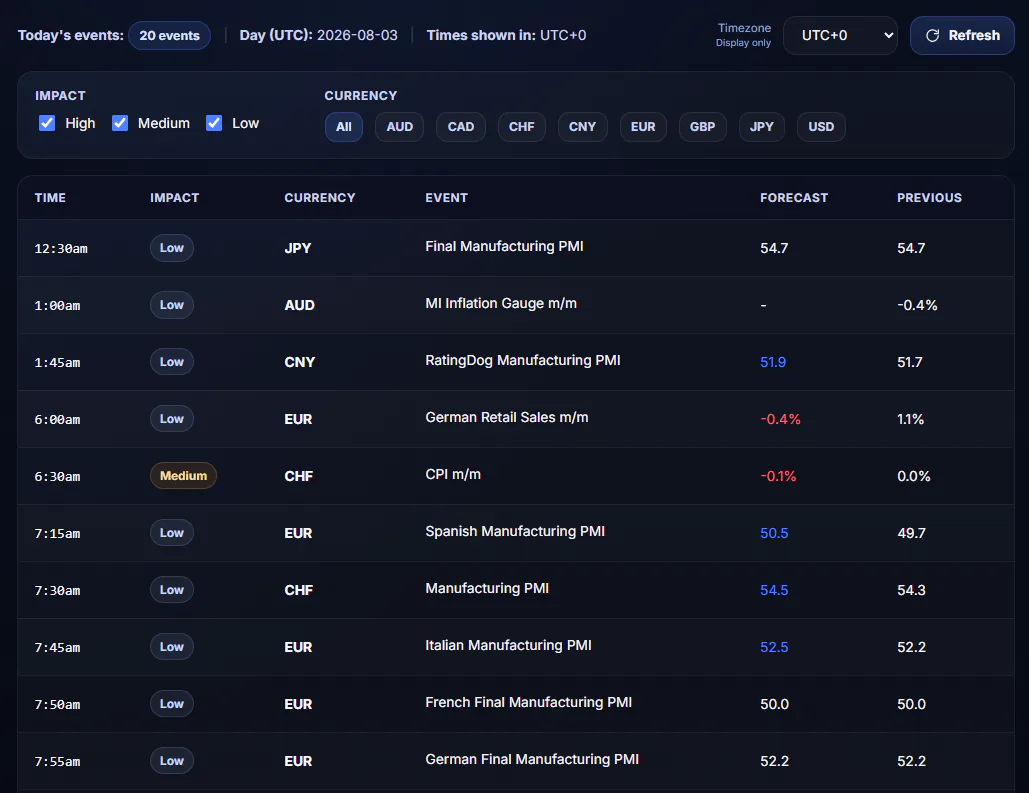
Market Insights
News, economic events and live market context, all in one place.
Relevant headlines without the noise.
Filter upcoming events by currency and impact.
Check live charts and technical summaries.
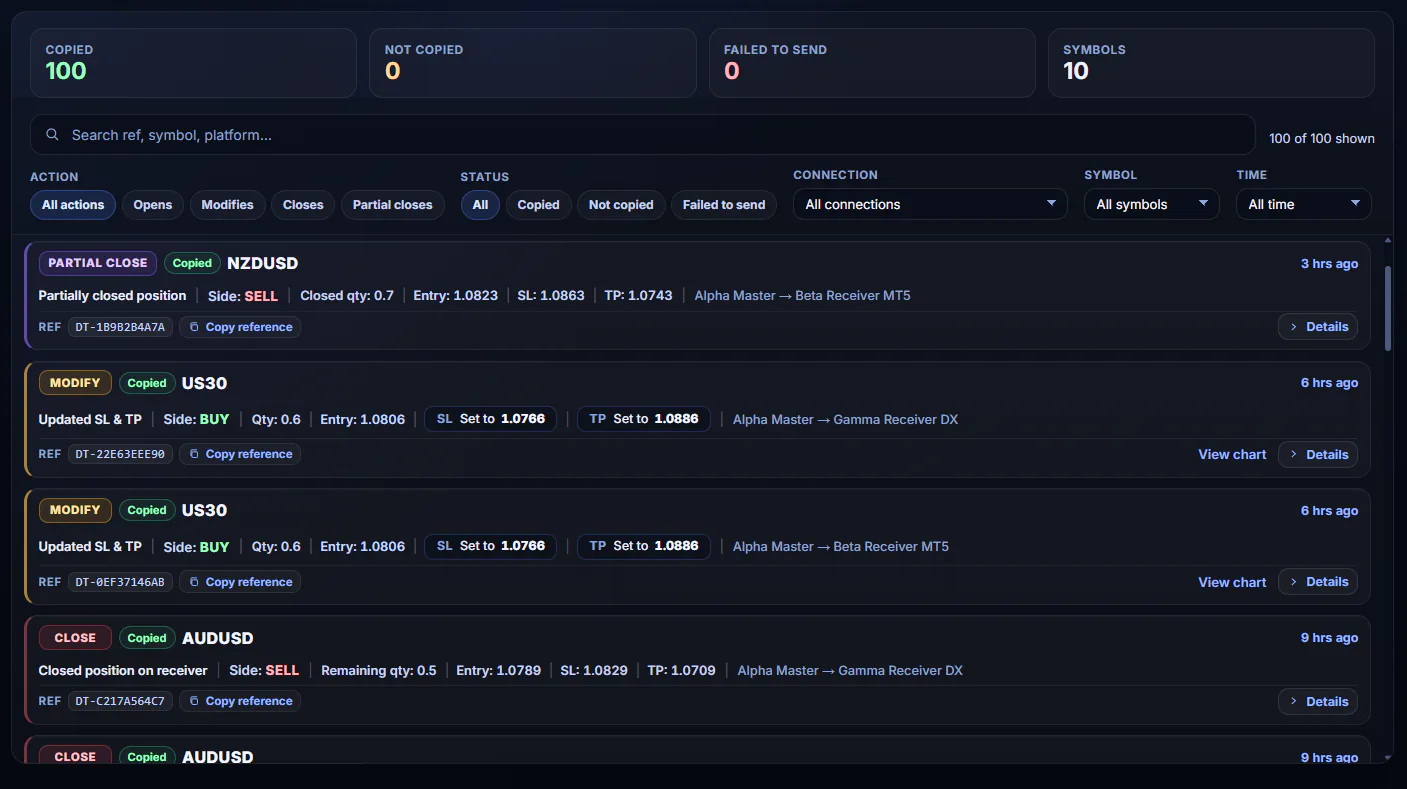
Trade Activity
See copied trades and anything that needs attention from one clear view. No checking accounts one by one. No guessing when something goes wrong.
Cloud Copying
DaneTrades runs in the cloud, so there is no desktop app to keep open and no Windows VPS to rent or maintain.
Simple Account-Based Pricing
Pricing is $10 per connected trading account per month. Minimum setup: 2 connected accounts for $20 per month. Add more licences whenever your setup grows.
One account places the trade. One account follows.
Connect more master or follower accounts whenever you need them.
Sizing, filters, symbol mapping, analytics and Trade Activity are included.
DaneTrades Challenge Account Giveaway
Enter free giveaways for partner prop-firm challenge accounts. No purchase necessary.
Frequently Asked Questions
DaneTrades copies trade actions from one master trading account to the connected follower accounts you select. You choose how each follower handles sizing, symbols and trade filters.
DaneTrades currently supports MT4, MT5, TradeLocker, DXtrade, MatchTrader and cTrader. Telegram can be used as a signal source.
Yes. DaneTrades supports copying across its supported trading platforms. Telegram can also be used as a signal source for supported follower accounts.
No. DaneTrades runs in the cloud, so copying does not depend on your personal computer remaining awake.
No. You do not need to rent or maintain a Windows VPS for the DaneTrades Cloud Copier.
No trade copier can guarantee successful execution under every possible broker, platform, connection and market condition. DaneTrades is designed to reduce avoidable copying errors and show a clear result for every copied action.
Trade Activity shows whether the action was stopped by a filter or sizing rule, failed to send, or was rejected by the broker.
Yes. Each copier can have its own sizing, symbol mapping, filter and protection settings.
DaneTrades is designed for prop firm and multi-account trading workflows. You remain responsible for checking whether each broker or prop firm permits the way you intend to use it.
You need at least two account licences: one for the master account and one for the first follower account. Every additional connected trading account requires another licence.
There is no cloud copier trial. You can create a DaneTrades account for free, but at least two account licences are required before you can connect accounts and begin copying.
Ready to Stop Repeating Every Trade?
Connect your supported MT4, MT5, TradeLocker, DXtrade, MatchTrader or cTrader accounts, or use Telegram as a signal source, then see every result from one clear dashboard.